
Solve the Customer’s Need at the First Interaction
Engageware is an AI-enabled customer engagement platform. With 20+ years of experience, we’re the market’s leading end-to-end platform providing secure enterprise-grade solutions across diverse industries.
Schedule a MeetingLearn why Engageware is chosen by
700+ companies
Our easy-to-use solutions empower diverse sectors including finance, healthcare, education, retail, and services to confidently embrace new technology, enhance customer experiences, increase operational efficiency, and drive accelerated growth.
Trusted by leading
CREDIT UNIONS





Trusted by leading
BANKS





Trusted by leading
FINANCIAL SERVICES PROVIDERS





Trusted by leading
RETAILERS





Customer Stories
iTHINK wanted to centralized knowledge, unify support content, and provide two-way communication for member and employee assistance.
Revolutionizing Customer Experience
with End-to-End Engagement
Automate Customer Service
Streamline customer service offering 24/7 omnichannel support using an AI-powered Virtual Assistant which efficiently resolves over 98% of routine inquiries and tasks on any platform, from websites to social media. Understand your customers’ needs and empower them to self-serve via chat or search, with access to consistent answers from a robust knowledge base, cultivated from over 20 years of experience and more than 760 million interactions.
- 98% effective resolution of customer needs without human intervention.
- 387% increase in customer queries handled automatically.
- 50% increase in self-service rates.

Reduce Call Center Workload
With routine questions automatically answered workload is reduced allowing your call center employees to focus their time and energy on delivering exceptional service for the complex needs that arise and being advisors to your customers – two areas that can make or break their experience with your organization.
- 40% reduction in call volume.
- 2.5 minute average engagement time through the virtual assistant that would be previously handled through the call center.
- Ramp Quickly – 88% decrease in live chats within the first month of launching the Virtual Assistant.

Increase Employee Efficiency
Enable employees to find and provide accurate responses faster with the right tools by their side. Dramatically improve your employee’s efficiency by ensuring your organizational information is always up to date, and easy to find, follow, and use with our Knowledge Management solutions and enhanced Generative AI Search. Set your team up for successful first-contact resolution with our Live Agent solution, offering direct access to multiple knowledge sources, historical data, and video interactions. Streamline onboarding, boost employee confidence, and productivity with easy access to the right information and tools.
- 50% increase in employee efficiency with centralized knowledge.
- 92% reduction in time employees spent searching for internal knowledge.
- 30% reduction in handle time.
- 10 months of manual training time saved.
Increase Sales & Conversions
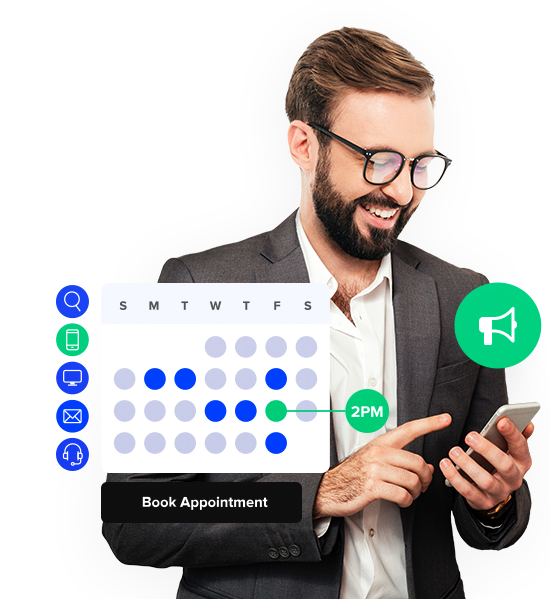
Meet your organization’s growth goals with a platform that helps you acquire, retain, and expand customers. Attract new business and grow existing customers by engaging in the channels they use most with proactive SMS and WhatsApp campaigns. Ensure you capitalize on all potential opportunities 24/7/365 using Intelligent Appointment Scheduling to connect prospects with your subject matter experts when they are ready to purchase.
- 22% increase in sales leveraging Engageware’s platform.
- 93% ROI within two months of implementing Engageware’s Campaign solution.
- $2.6M in new customer loan volume after implementing appointment scheduling.

Improve Customer Satisfaction
Transform the way your organization engages with customers to provide the best experience based on their needs, resulting in efficient issue resolution and satisfied customers with every interaction. For routine needs make instant answers easily accessible across any channel they use 24/7, when more complex needs arise smoothly transition them to a live agent who’s set up for success with access to a robust knowledge base, and for high value needs seamlessly serve up availability for your subject matter experts to close the deal.
- 70% of customers expect seamless experiences across channels when selecting their institution.
- Average 4.5 out of 5 in customer satisfaction.
- 2X the industry average NPS scores.